Crop-disease-detectors
CropDx
CropDx is a field-first crop disease detection assistant. A farmer uploads a leaf photograph and receives a confidence-rated disease prediction, plain-language explanations, and practical next steps.
The product combines:
- A responsive React/Vite field experience
- A Flask API for health checks, inference, recommendations, and logging
- An inspectable classical ML pipeline using HSV, GLCM, and OpenCV features
- An RBF SVM with calibrated probability scores
- A SQLite disease and recommendation database
- A free multilingual device-voice guide
- A fail-closed Whop Field Pass billing surface
CropDx does not use a CNN or MobileNetV2 for its final inference pipeline.
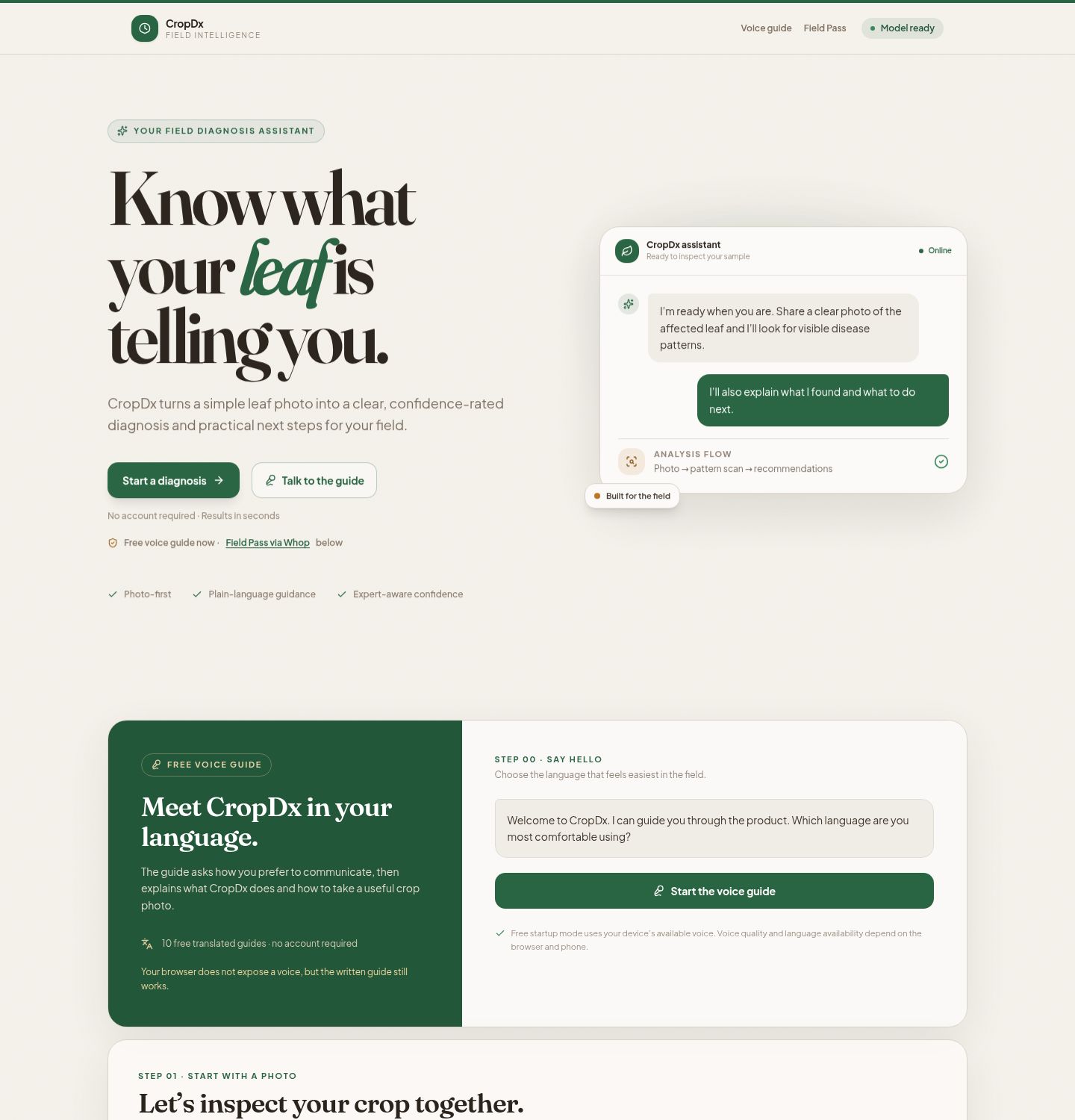
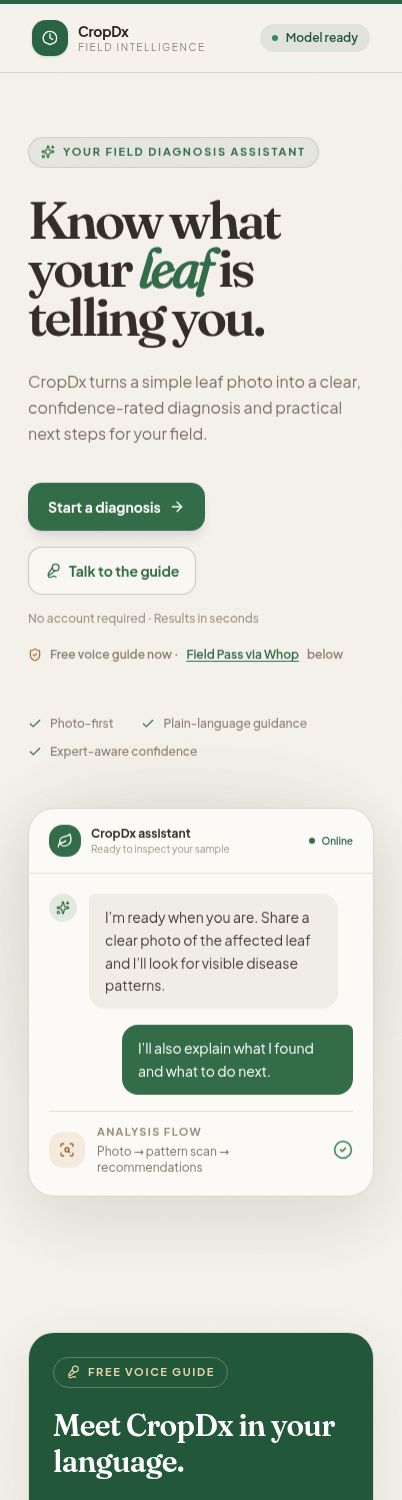
Product preview
Desktop
Mobile
Testing reference video
The short reference video shows the current desktop and mobile preview states, including the voice-guide entry point and the photo-first diagnosis flow.
Download or watch the CropDx testing reference video
This is a visual reference, not a replacement for the API and browser test steps below.
Core user flow
- Open CropDx and choose Talk to the guide or Start a diagnosis.
- Start the free voice guide with one tap. Browsers require a user gesture before audio can play.
- Select English, Hausa, Yoruba, Igbo, French, Arabic, Spanish, Portuguese, Swahili, or Hindi.
- Upload a clear image of the affected leaf.
- Optionally choose a crop type.
- Run the diagnosis.
- Review the disease, confidence, symptoms, and grouped recommendations.
- Use the Field Pass section when Whop billing is configured.
The startup voice guide uses the browser/device speech engine and curated translations. It requires no paid AI credits or API key. Voice availability depends on the user’s browser and phone; the written guide remains available when no device voice is exposed.
Architecture
React/Vite frontend
        │
        ├── GET /api/health
        ├── GET /api/whop/status
        ├── POST /api/predict
        └── POST /api/whop/checkout
                │
             Flask API
                │
    ┌───────────┼────────────┐
    │           │            │
  SVM       SQLite       Whop proxy
 inference  database     (server-side)
Technology stack
| Layer | Technology |
|---|---|
| Frontend | React, TypeScript, Vite, Tailwind utilities |
| Backend | Python, Flask, Flask-CORS |
| Image features | OpenCV, scikit-image, NumPy |
| Classifier | scikit-learn RBF SVM, StandardScaler |
| Data | SQLite |
| Training dataset | PlantVillage through TensorFlow Datasets |
| Billing | Whop hosted checkout through a Replit connection |
| Voice guide | Browser/device SpeechSynthesis API |
Repository layout
artifacts/crop-disease-app/
  src/App.tsx                    Main product shell and Field Pass UI
  src/components/LanguageAgent.tsx
                                 Free multilingual voice guide
  src/components/UploadView.tsx  Photo upload and diagnosis flow
  src/lib/api.ts                 Frontend API client and response types

backend/
  app.py                         Flask application entry point
  routes/predict.py              Upload validation, inference, logging
  routes/health.py               Model and API health endpoints
  routes/whop.py                 Whop status and checkout endpoints
  model/features.py              113-feature image extractor
  model/inference.py             SVM/scaler/label loading and prediction
  train_model.py                 CPU-friendly training pipeline
  database/                      SQLite schema and query helpers
  svm_model.joblib               Trained SVM artifact
  scaler.joblib                  Feature scaler artifact
  labels.json                    Class index ordering

docs/
  screenshots/                   Current desktop/mobile product images
  videos/                        Visual testing reference video
Local setup
Prerequisites
- Python 3.10+
- Node.js and pnpm
- A working OpenCV/scikit-learn Python environment
- Optional: TensorFlow/TensorFlow Datasets for retraining
Install dependencies
pnpm install
pip install -r backend/requirements.txt
Start the API
cd backend
python app.py
The API listens on the workflow PORT (usually 8080 when started directly).
In Replit, the API workflow is already configured as:
cd /home/runner/workspace/backend && python app.py
Start the frontend
From the project root:
pnpm --filter @workspace/crop-disease-app run dev
In Replit, select the Crop Disease Detection artifact in the preview dropdown.
API reference
Health
GET /api/health
GET /api/healthz
Example:
curl http://localhost:80/api/health
Expected healthy response:
{
  "status": "ok",
  "model_loaded": true
}
Prediction
POST /api/predict
Content-Type: multipart/form-data
Example:
curl -X POST http://localhost:80/api/predict \
  -F "image=@/path/to/leaf.jpg" \
  -F "crop_type=Tomato"
Successful responses include:
disease_nameconfidencedescriptionsymptomsrecommendationsgrouped by category
The API uses a 65% confidence threshold. Below that threshold, it recommends consulting an agricultural expert instead of returning treatment recommendations.
Whop billing
GET /api/whop/status
POST /api/whop/checkout
Whop checkout is intentionally fail-closed:
- The browser never receives a Whop API key.
- A redirect or query parameter never grants paid access.
- The server creates a fresh hosted checkout configuration.
- Checkout remains disabled until
WHOP_COMPANY_IDandWHOP_PLAN_IDare configured and the connected Whop account has the required company permissions.
Training the classical model
python backend/train_model.py
Training:
- Loads PlantVillage images through TensorFlow Datasets.
- Limits the training sample per class to keep CPU and memory use manageable.
- Extracts 113 non-neural features:
- HSV colour histograms
- GLCM texture features
- OpenCV lesion and shape measurements
- Fits a
StandardScaler. - Trains an RBF SVM with probability scores.
- Writes:
backend/svm_model.joblibbackend/scaler.joblibbackend/labels.jsonbackend/confusion_matrix.png
Keep the ordering in labels.json aligned with the trained classifier. If
classes are added or renamed, reseed the SQLite disease database.
Database seeding
Start the API once so the SQLite schema exists, then run:
python backend/seed_db.py
The seed operation is idempotent and creates plain-language recommendations in chemical, biological, cultural, and preventive categories.
Testing checklist
Static checks
python -m py_compile \
  backend/app.py \
  backend/model/inference.py \
  backend/routes/predict.py \
  backend/routes/whop.py

pnpm --filter @workspace/crop-disease-app run typecheck
git diff --check
API smoke tests
curl http://localhost:80/api/health
curl http://localhost:80/api/whop/status
For an end-to-end prediction:
curl -X POST http://localhost:80/api/predict \
  -F "image=@/path/to/leaf.jpg" \
  -F "crop_type=Tomato"
Browser acceptance test
- Confirm the hero shows Talk to the guide and Field Pass via Whop.
- Start the voice guide with a user tap.
- Select each supported language.
- Confirm replay, stop, next-tip, and custom-language behavior.
- Confirm the written guide works when the browser has no speech voice.
- Upload a valid JPG, PNG, or WEBP leaf image.
- Confirm invalid files show a useful validation message.
- Confirm diagnosis results show confidence and recommendations.
- Confirm the Field Pass button remains disabled when Whop setup is incomplete.
- Check desktop and mobile layouts against the screenshots in
docs/screenshots/.
Safety and product boundaries
CropDx provides decision support, not a guaranteed agricultural diagnosis. Low-confidence results direct the farmer to an agricultural expert. Treatment recommendations should be reviewed against local extension guidance and product labels before use.
License
Add the project license before distributing the repository publicly.